ToolsEnabled Slides

Real decks.
Visible edits.

Build and edit PowerPoint presentations through your MCP host while you watch in a local browser studio. Export PPTX, or PDF and PNG with LibreOffice on Linux.

Slides 0.1.9 prerelease · Linux only

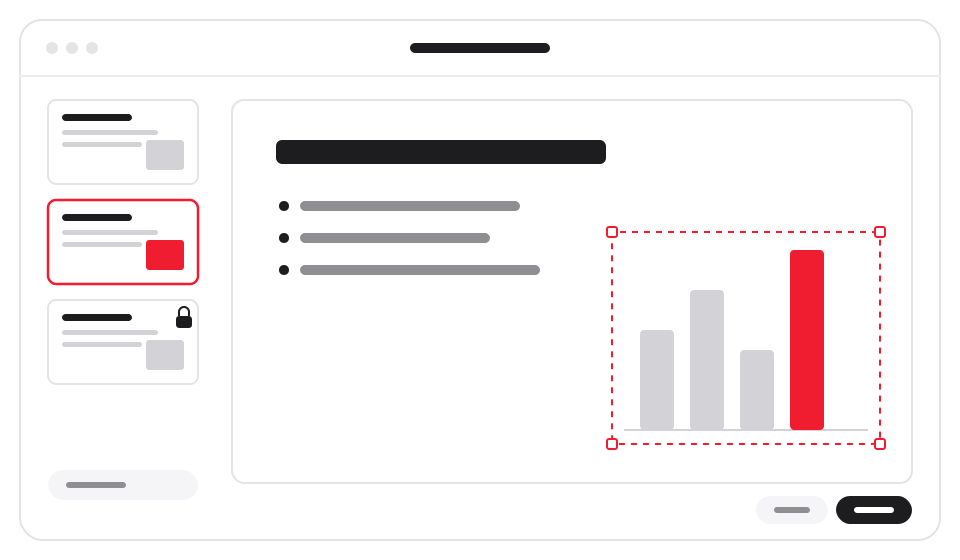
Illustration of slide thumbnails beside an editable deck, with one slide locked and a chart selected

How it works

Read. Lock. Edit. Export.

The agent works on the deck. You watch and control it in the studio.

01

Start or import a deck

Create a presentation, or import a PowerPoint file from your workspace. Imported slides keep their original design in an editable overlay. Give an imported file any name except presentation.pptx, which is the deck Slides renders.

02

Lock before editing

Read the deck and board, lock the affected slides, then edit and read back the result. The live studio shows changes, object history and protections.

03

Export a fresh copy

Request PPTX, PDF or one PNG per slide. Export captures a model revision and writes to a new workspace destination; existing destinations are refused.

Features

One deck. A visible workflow.

Keep the presentation, its history and your controls together on your computer.

Editable PowerPoint files

Work with one deck model. New decks use a clean white theme; imported slides retain their design and the source file is preserved.

Object history

Inspect object versions and saved activity beside the live deck. Object history and the model persist with your workspace.

Slide locks and protections

Lock affected slides before changing them. The studio can protect slides and individual objects; MCP callers release only their own locks. Protections also stop an agent from importing a replacement deck.

Human controls

Pause, resume, undo and redo require the dashboard session. Pause refuses editing and explicit plugin exports while reads remain available.

PPTX, PDF and PNG

Save a PowerPoint file, a PDF, or one PNG per slide. Linux PDF and PNG use LibreOffice; PNG conversion also uses the pinned pypdfium2 package.

Your host supplies the agent

Slides makes no model calls and has no built-in account, API key or online-service requirement. Files are processed locally; your MCP host applies its own data policy.

The fine print, plainly

Check the output before sharing.

Linux only for this release

Native Windows is not supported. macOS and desktop-app installs have not been tested.

Static rendering has limits

Inspect PDF and PNG: fonts, effects and complex formatting may differ from PowerPoint. Native object animations and embedded video playback need an experimental renderer outside the supported Linux scope.

Imports have boundaries

Macros, embedded workbooks and imported video are unsupported. Import accepts PNG, JPEG and GIF images; SVG and WMF/EMF images are refused. See the README before importing a complex deck.

A local single-user application

Do not expose the studio through a tunnel or proxy. Session controls and locks do not isolate other processes with your filesystem access. Human undo/redo and slide claims are held in memory.

Install

Prepare the runtime, then start.

Version 0.1.9 is a published prerelease. These instructions use its source archive on Linux; nothing installs itself on launch.

1Verify and extract the source ZIP

Download toolsenabled-slides-0.1.9.zip and its .zip.sha256 file from the 0.1.9 release. Continue only when the checksum reports OK.

sha256sum -c toolsenabled-slides-0.1.9.zip.sha256
unzip toolsenabled-slides-0.1.9.zip && cd slides

Expected ZIP SHA-256: 9aa4aead4bb6ffaec4fa159c45a102190b4502dfa98444eff114d282bded94e4

2Install the pinned Python dependencies

Run from the extracted folder with Python 3.10 or newer. The hash-checked requirements select the dependencies. Doctor reports missing prerequisites and the selected renderer, and prints install commands only for what is missing.

python3 -m venv .venv
.venv/bin/python -m pip install --require-hashes -r requirements.txt
node src/cli/doctor.js

For PDF and PNG on Ubuntu, install LibreOffice Impress, then run Doctor again:

sudo apt-get install libreoffice-impress
node src/cli/doctor.js

3Start directly or configure your MCP host

For a direct stdio launch:

node slides-mcp.js

For host registration, set SUITE_PYTHON to the absolute prepared interpreter and apply the configuration printed by:

node tools/mcp-config.mjs --client HOST

Set HOST to claude (Claude Code), claude-desktop (Claude Desktop), codex (Codex), cursor (Cursor) or deepseek (DeepSeek Harness). The helper prints configuration and does not change settings. Desktop-app installs have not been tested.

Open the one-time dashboard link from startup stderr yourself before assigning work. Never ask the agent to retrieve it. Keep one workspace per deck; use a distinct local port for simultaneous workspaces.

Open source.
MIT licensed.

Inspect the source and export limits, and report issues on GitHub.

Current release: Slides 0.1.9 prerelease · Release notes · Security policy · Privacy